teache is a planning workspace for Ghanaian teachers: one place to plan a whole term, where schemes of work, weekly lesson notes, records of work, and class tests all come out mapped to the national curriculum and ready to print and sign. It runs from KG 1 through B9 and on into SHS 1 to SHS 3, covering more than 6,500 NaCCA indicators, so every document carries the correct strand, sub-strand, content standard, and indicator codes. Those codes are what a headteacher checks at vetting.
The brief
A weekly lesson note has a fixed shape: a header grid with subject, class, strand, and content standard, then a band for each teaching day split into starter, main activity, and reflection, then assessment, remarks, and the block where the headteacher signs off. The format is settled. Filling it in is what costs the evening, week after week, for every subject.
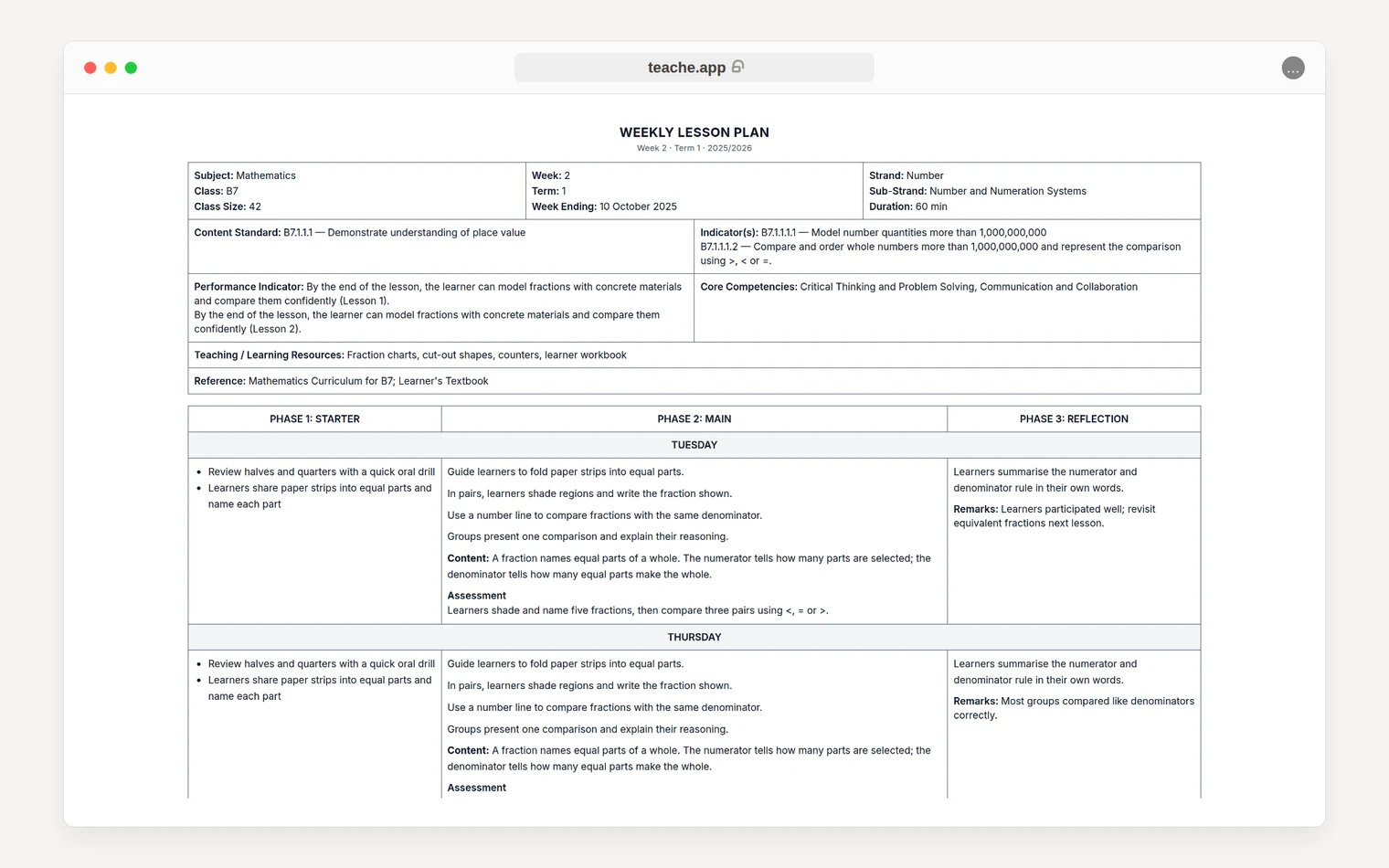
We wanted to give that time back without taking the teacher out of the loop. Generic lesson content fails here: the headteacher rejects it and the evening is lost anyway. The target was a note that survives vetting, pitched at the class actually sitting in the room.
Three constraints followed from that:
- A real GES document first. The export had to pass as the official format before anything else got clever.
- The curriculum as the spine. Drafts anchor to indicators rather than to a model’s general sense of what a Ghanaian science lesson looks like.
- The teacher in control. They know their class size, their resources, and which pupils need the work pitched differently.
How it works
A teacher sets their class context once (class size, resources, language, ability spread, and the term’s timetable) and every draft adapts to it. Starting a note asks one question at a time (which class, what the week covers, which indicators) and fills the week from the timetable, with each lesson carrying its own curriculum. Teachers who would rather pick indicators by hand can skip the AI for that step, and anyone can seed a plan with free text or a photo of a scheme or textbook page.
The workspace runs at two speeds on one engine:
- Guided drafts one field at a time while the teacher reviews, steers, and accepts each one, and can be asked mid-draft to turn the main activity into group work.
- Generate drafts every field across the week unattended, and the teacher downloads the result to edit offline.
What comes out is an editable Word document or a print-ready PDF, with Ghanaian language characters intact. The record of work builds itself from those notes, and the teacher can edit any cell before it goes to the headteacher. Schemes of work show each term on its own tab, plus the whole year as one grid of weeks and sub-strands.
From kindergarten to senior high
In October we extended teache beyond basic school at both ends.
| Kindergarten | Senior High | |
|---|---|---|
| Launched | October 11 | October 21 |
| Classes | KG 1 and KG 2 | SHS 1 to SHS 3, 24 subjects |
| Note format | A note for every day, in the official KG blocks and times | A weekly note in the Weekly Learning Planner format |
| Built for the level | Key words in English and a Ghanaian language; phonics on real words for the week’s sound | Weeks follow the semester calendar for the Form |
| Also ready | Scheme of work, record of work | Record of work; schemes and tests to follow |
An SHS note opens with the week’s essential questions, strategies, resources, differentiation, and keywords, then gives each lesson its starter, activities, assessment, and closure.
Each new level meant transcribing another stack of official curriculum documents. Every page of every SHS subject is read against an image of the printed page before the subject is sealed, and every typo, misprint, or misnumbered code in the source is logged, so the indicators in teache match the copy on the headteacher’s shelf.
Tests with the answers worked out
Practice questions shipped on September 9: a teacher picks a class and the lessons to cover, and teache sets the questions from the seeded curriculum with an answer key beside them. Class tests followed on September 13: longer papers with a reviewed question range for each subject and level and the time allowance printed on the paper.
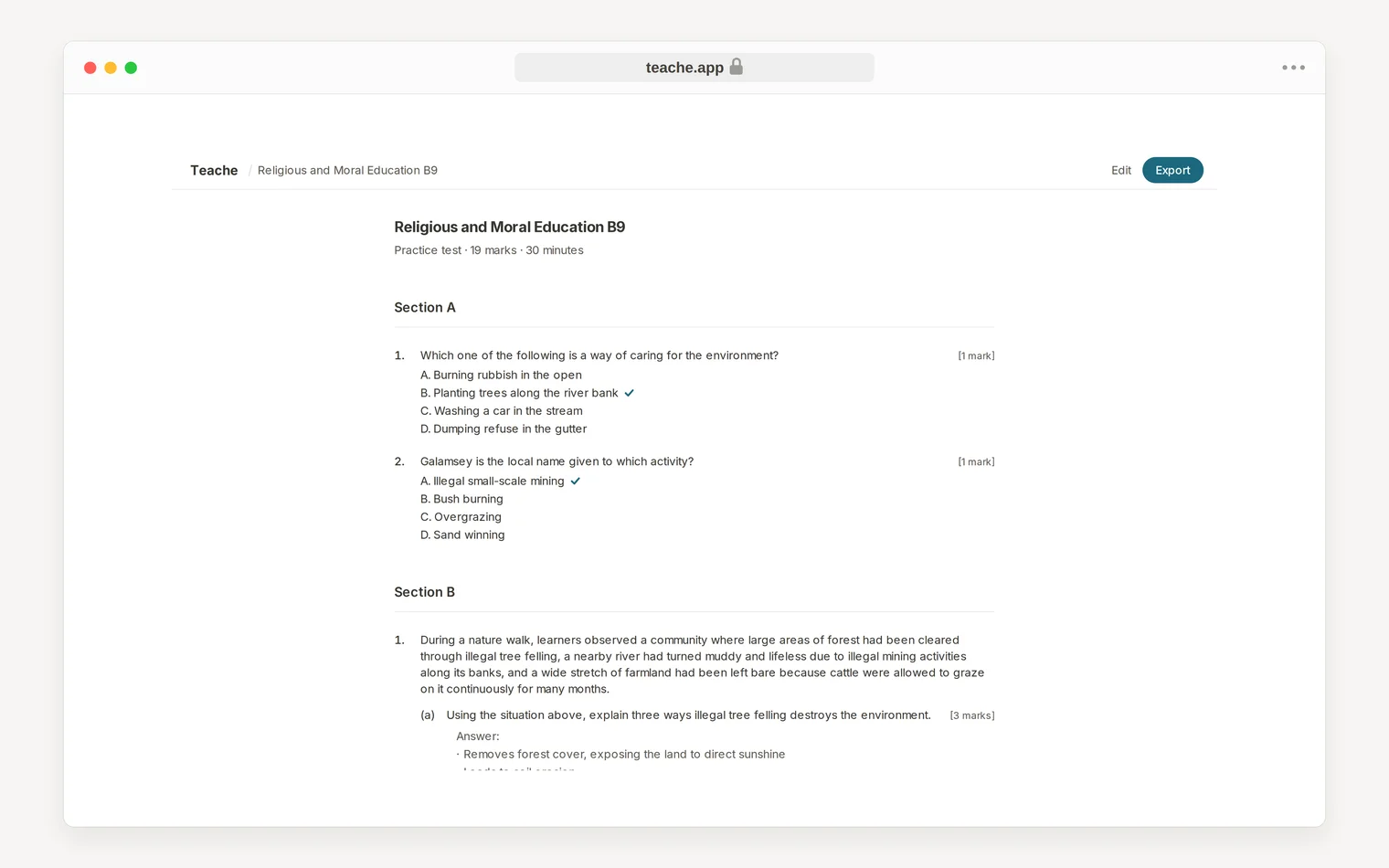
Through September we rebuilt how papers are written to make questions and answer keys more reliable. A paper now takes a minute or two to prepare. Since October 2, a paper works like this:
- A test runs from 1 to 40 questions, and every indicator the teacher ticks gets its own question.
- teache warns when a paper is too short to cover every ticked indicator.
- Indicators a written paper cannot fairly test are marked “Class activity only”.
- When teache cannot set a paper, it says so and charges nothing.
How we built it
We started in June 2026 and shipped weekly lesson notes ready to sign on June 20. Releases have landed every week or two since, and teache keeps the full list on its What’s new page.
Seeding the curriculum first shaped everything after it. Once the indicator tree was in the database, each new document type and level became a question of layout and prompting.
We were equally strict about the export. A single layout struct feeds both the HTML and the Word renderers, so bold text, lists, and tables cannot drift between the screen and the document a teacher hands in. That logic is pure and unit-tested.
What it costs
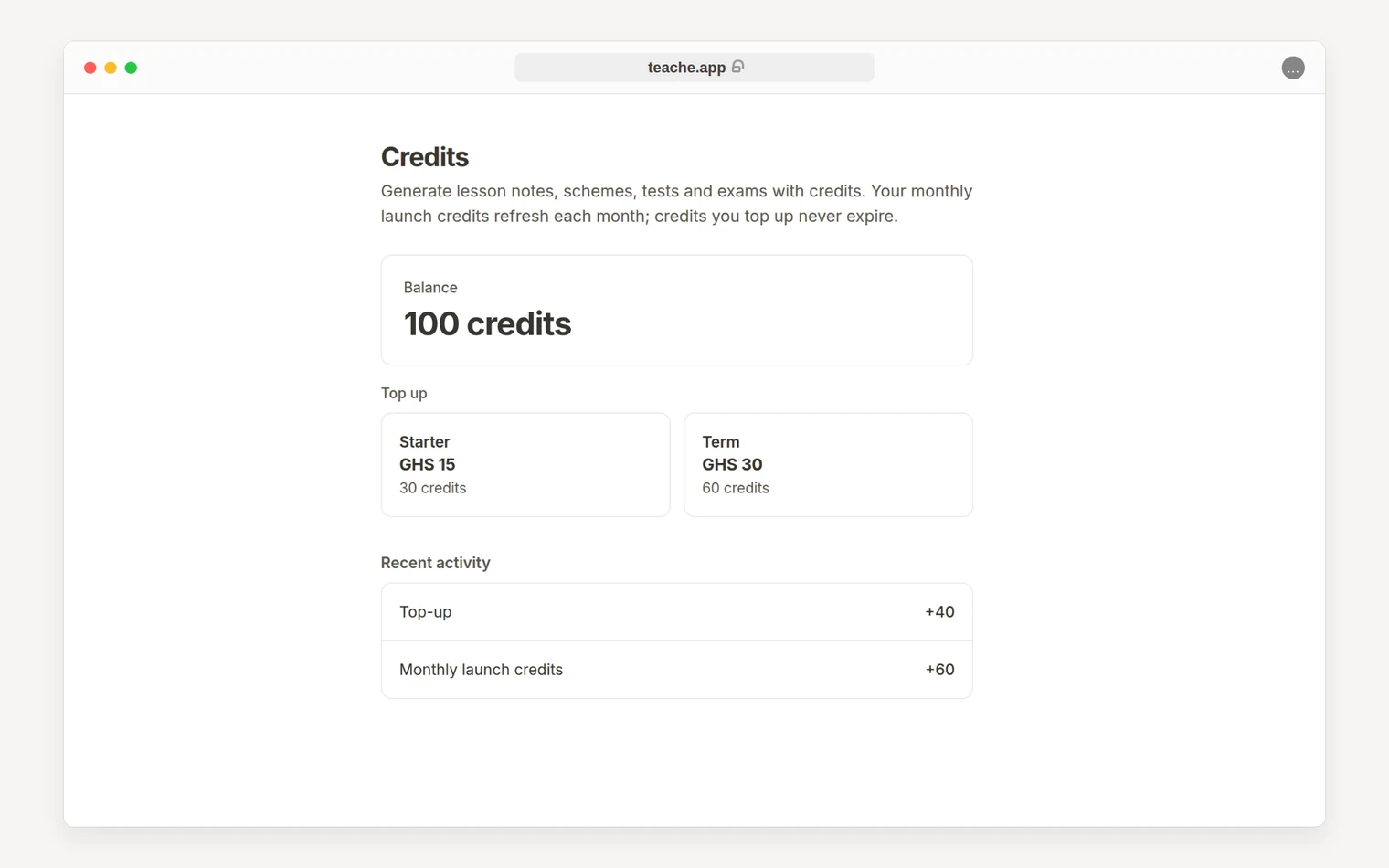
Planning runs on credits instead of a subscription. Every new account starts with 30 free credits and gets 5 more each month, which build up to 15 if left unused. Top-up packs cost GHS 20 for 30 credits or GHS 35 for 60, paid with MTN MoMo, Telecel Cash, AT Money, or a card, and bought credits never expire.
Every price shows before anything is written:
| Document | Credits |
|---|---|
| A week of lesson notes (KG, Primary, JHS, or SHS) | 3 |
| A full-year scheme of work | 12 |
| A practice test or class test | From 10, rising with the number of questions |
The free credits alone cover a year’s scheme and six weeks of notes. Redrafting a field of a note is free, and a failed generation is never charged.
What comes next
The next releases take teache beyond the browser:
- iPhone app. A native app with everything the website does.
- Android app. Follows the iPhone app on the same design.
- WhatsApp. A teacher signs in once on the web, then makes lesson notes and schemes by tapping through the chat, gets the PDF and Word files back there, and tops up with Mobile Money without leaving it.
In the product itself, mid-term tests with marking schemes and end-of-term exams come next, once their paper formats are reviewed. A referral program and a teacher community follow. Teachers set the order through the feature request board and the teache channel on Telegram.
Share this case study